Cook Timeline Planner
Tell it what you are cooking and when you want to eat. It plans backward and hands you every clock time that matters, with the rest built in so you finish early instead of late.
Open now to anyone with the bundle or this tool
Why it exists
Most ruined dinners are not a fire problem. They are a clock problem. You put the brisket on when it felt about right, and now it is 6 p.m., the meat is at 174°F, and twelve people are looking at you. This works the other way around: it starts at the time you want to serve and walks backward to the hour you should light the fire.
What it does
Every time on one screen
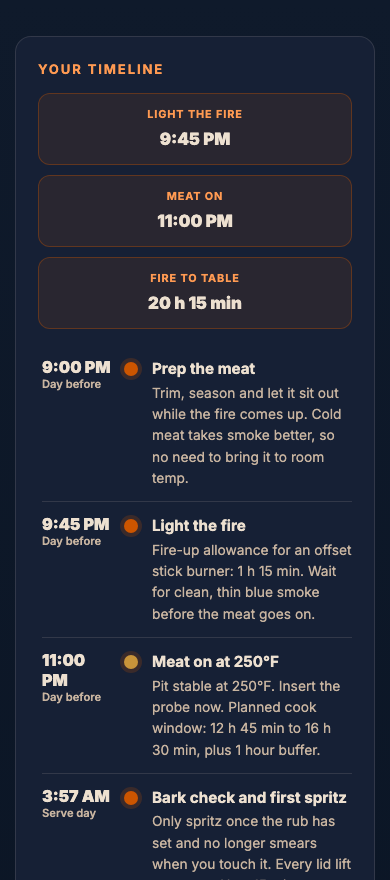
Fire lit, meat on, wrap, probe-tender, pull, rest, serve. Not a cook time, a schedule you can read at a glance while the fire settles.
Rest is in the plan, not an afterthought
The rest window is built into the backward maths, so the clock you get is the clock you serve on. A brisket that finishes at the right minute and goes straight to the board is a brisket you overcooked in the cooler.
A buffer you choose
Add up to two hours of slack. Meat that runs early holds wrapped in a dry cooler for hours. Meat that runs late has nowhere to go and a hungry crowd watching.
Thirty cuts, and they behave differently
Beef, pork, poultry, lamb and fish, each with its own rate at 225 to 325°F. Cuts that stall get the stall added. Wrapping in foil pulls the estimate in, butcher paper less so.
Three steps, start to finish
Pick the cut and put in the weight off the label.
Set the pit temperature, the cooker and whether you plan to wrap.
Say when you want to eat. The plan appears, and you can print it or send it to your phone.
Who it is for
The cook who has been burned once by a brisket that was not ready. Also the cook who is doing something unfamiliar, a whole turkey, a pork shoulder for twenty, and wants to know at 9 p.m. tonight what time the alarm has to be set for.
What it will not do
It is an estimate, not a promise. Every pit is different and every piece of meat is different, which is exactly why the buffer is there. The Live Pit Tracker is what you use once the meat is actually on and the real numbers start coming in.
Questions
Does it work for more than one meat at a time?
Plan each cut separately for now, then read the fire-lit times and use the earliest one. Multi-meat planning on a single clock is what the Competition Day Planner does, and a backyard version is on the list.
What if my pit runs hotter than the setting I picked?
Pick the temperature you actually hold, not the one on the dial. If you know your kettle runs 275°F when you aim for 250°F, plan at 275°F.
Can I print the timeline?
Yes. There is a print button, and the print layout drops the site furniture so you get the times on a clean sheet for the fridge door.
Cook Timeline Planner opens shortly
The store is not open yet. Tools will sell one at a time, or as a bundle that keeps feeding you the rest as they land. One payment either way, and up to three devices.
The tools open shortly. Join the newsletter and you will hear the day they do. Already have a code? Open your tools. Have a claim code? Claim your tools.
Works alongside
These three come up most often on the same cook.
Crowd Calculator
Tell it who is coming and what you are serving. It works out the portions, the raw weight to buy for every meat, and hands you a shopping list you can take to the store.
See what it does ›Fuel Calculator
Tell it your cooker, your pit temperature and how long the cook runs. It tells you how much fuel to have on the patio before you light anything.
See what it does ›Live Pit Tracker
Log your probe readings as the cook goes. It works out how fast the meat is climbing, calls the stall when it hits, and tells you the clock time to expect for wrap and pull.
See what it does ›